
Your whole agency in one system.

Projects, hours, planning, clients, leave, documents and invoices on one dataset. No separate tools to stitch together, no second set of records to keep up to date. One clear price per user. Much more relaxed.

With smart AI tools and integrations.


Request a demo

One project in one window. Sanne's schedule shows Test template for the Newsletter of Hofland & Co; she stops the timer at an hour and a half. On the board that work item moves to Done, six out of six. The project goes from Active to Completed, with 24 of the 26 hours, and the invoice is created from those 24 hours times €95: €2,280. The project is then Invoiced, and in the Billable Utilisation report Sanne goes from 68% to 71%, past her target of 70%.

Who is plnnrly for?

For agencies that work together on projects, schedule their people, keep track of clients and invoice their hours.

  • Digital and creative agencies
  • Consultancies
  • Architecture and engineering firms
A developer, seen from behind, with code and a terminal on his screen.

Developers

Backlog, sprints and work items, with the hours logged right on the work item.

A designer works on the layout of a brochure on her screen.

Creatives

The briefing, the files and the deadline are right there with the project.

Three colleagues look at a laptop together; one of them points at something.

Management

See how projects, budgets and utilisation are doing, without asking around.
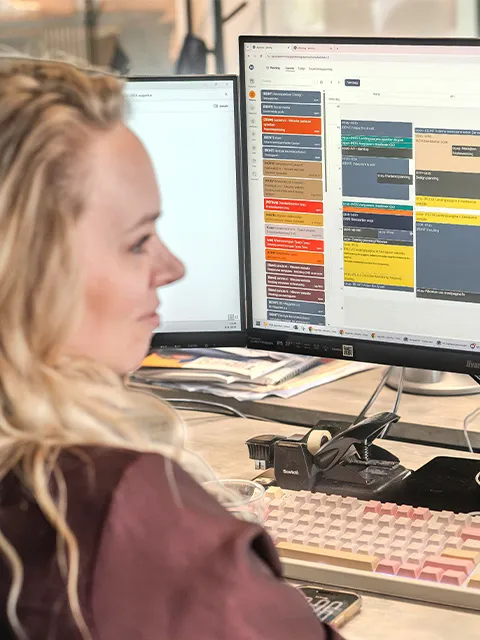
A colleague looks at the team schedule on her screen.

HR

Leave with approval and balances, sick leave in Pro, and a schedule that takes both into account.

Two colleagues work together at a table: one sketches on paper, the other looks at his phone.

Accounting

Invoices from the logged hours, straight through to Exact Online.

Where do you stand?

With plnnrly you can see per project how things stand, where the briefing is and who is in charge of what, without asking around. The project manager works in the timeline and the budgets, the team in sprints and work items, and what one person updates, the other sees straight away.

  • Status at a glance. The budget, deadlines and work items of the project in one place. On the board, in the timeline or as a budget overview: the same data, a different view.
  • Everything for the job in one place. The briefing, quote, designs and client agreements live in the project's Drive. You work on them together, live, and anyone you mention in a task list sees it in their own to-dos.
  • You know who to talk to. The project manager per project, who is working on it per work item, the account manager per client.
  • The client on one card. Contacts with their role, all projects, appointments, subscriptions and invoices in one place.
The project Webshop rebuild phase 2 for Veldhuis Retail, with the deadline on 20 March. Work item WEB-142 Payment page moves to Done, on the timeline too, and in the briefing Ilse adds a to-do for Milan Bakker, which then shows up in Milan's to-dos.

Utilisation you can trust

Leave, sick leave (in Pro) and planning live in the same system. When someone calls in sick or you approve leave, the planner sees it straight away in the capacity planning. You see who has room and who is overbooked, and you move the work before it becomes a problem.

  • Leave with approval. An employee requests leave, and a colleague with approval rights approves or declines it. The balance keeps up, with a separate balance for special leave.
  • The schedule does the maths. Capacity planning starts from everyone's working hours. Approved leave, days off, scheduled tasks and, in Pro, sick leave are deducted automatically.
  • You see who is overbooked. A colour per person per week, from underbooked to overbooked. You decide where those thresholds are.
  • Requests don't get forgotten. Whoever approves leave sees in the menu how many requests are waiting, and gets an email about them.
Milan Bakker requests leave for weeks 12 and 13 and it is approved; his balance goes from 23 to 13 days. In the capacity planning those weeks become leave, and week 12 jumps to overbooked because Milan still has 16 hours scheduled. The planner moves that task to Ruben and opens his calendar for week 12, with work for three clients in their own colours. The Hofland & Co newsletter moves to Wednesday, and Test payment page for Veldhuis Retail gets Thursday and Friday; Ruben goes from 40% to 80%.

From hour to invoice

You log hours on a task, with the timer or afterwards. Every hour counts towards the project budget straight away, and whatever is billable is ready for the invoice. No list to retype at the end of the month.

  • A budget that keeps up. Per project you see how many hours have been worked and how many are left, updated with every hour logged. If it goes over, you see it now, not when the invoice goes out.
  • Billable or not. Per hour, per task and per budget you set what gets invoiced. Non-billable hours show up in the reports, but they stay off the invoice.
  • The invoice from the logged hours. One line per budget: the billable hours not yet invoiced, times the hourly rate. You adjust what needs adjusting, and anyone who isn't allowed to finalise an invoice sets it aside for approval.
  • Straight through to Exact Online. The invoice appears in Exact right away, and you send it from there. Items, VAT codes and payment conditions come from Exact, and you link your clients by their debtor number.
Milan Bakker stops the timer at two hours of meetings for Webshop rebuild phase 2. The budget goes from 156 to 158 of the 200 hours, 78% to 79%. The invoice line now shows 14 hours times €95, and sales invoice B-26-00142 is in Exact Online.

Connect your ERP, your accounting and your own AI tools

plnnrly doesn't have to replace everything. Your accounting stays in Exact Online, your appointments in Outlook, and from your own AI tool you log hours or move a work item to Done, with your own permissions.

  • Exact Online. You invoice from plnnrly and book in Exact, with the items, VAT codes and payment conditions that are already there.
  • Your Outlook calendar. Everyone connects their own calendar, and your appointments show up in plnnrly too.
  • Your own AI tool. In Pro you connect Claude, ChatGPT, Cursor or Gemini with a personal token. Then you log hours, update a sprint or look up a document from the tool you already have open. In Cowork, too, you can pull up data from plnnrly and update it.

Setup guides for Claude Desktop, Claude Code, ChatGPT, Cursor and Gemini are in the documentation. With the REST API you connect your own systems, and more integrations are on the way.

plnnrly in the middle, connected to Exact Online and Outlook, and to your own AI tool: Claude, ChatGPT, Cursor or Gemini.
Three colleagues stand together behind their screens; one of them points at something, laughing.

You talk to the people who build it

  • Your request gets discussed. If something is missing, we talk it through with you, and often it lands in an upcoming release. That is how the task overview came about, at a client's request: in it, a team manager sees the tasks of every project and can reschedule them right away.
  • Custom work becomes product. What gets built for your agency ends up in plnnrly itself. It comes along with every update, and other agencies benefit from it too.
  • Something new every few weeks. In the first eight months of 2026 there were nine major releases and well over seventy smaller updates. What changes, you read in the changelog, in plain language.

Curious whether it fits your team?

We visit you, go through the way you work together and show what plnnrly can take off your hands. It takes one to two hours and costs nothing. After your request, we email you within one working day to find a time.

  • On site
  • Free
  • 1 to 2 hours
Request a demo